Arcade Coin-Op Simulator ( A.C.O.S. )
A downloadable game
Arcade Coin-Op Simulator
Volume 1 - Star Force – ZX Spectrum Next Edition
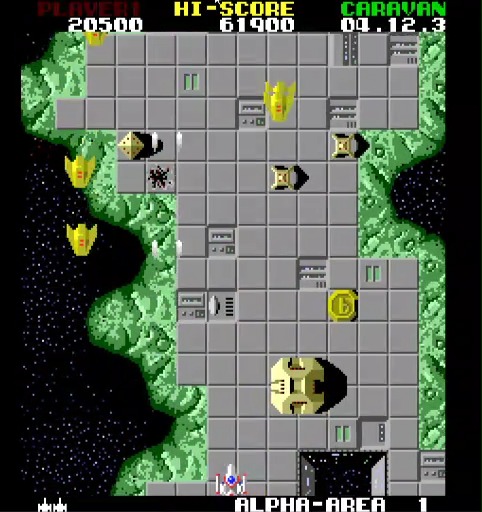
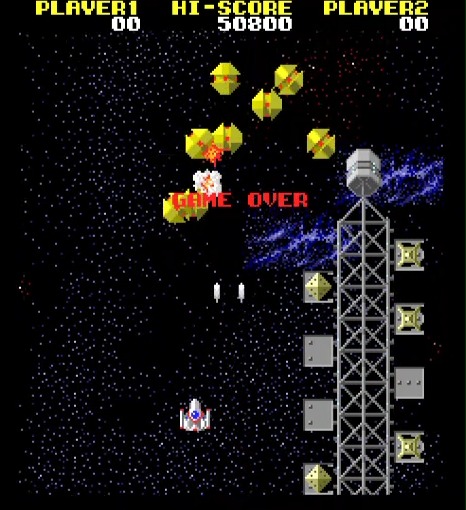
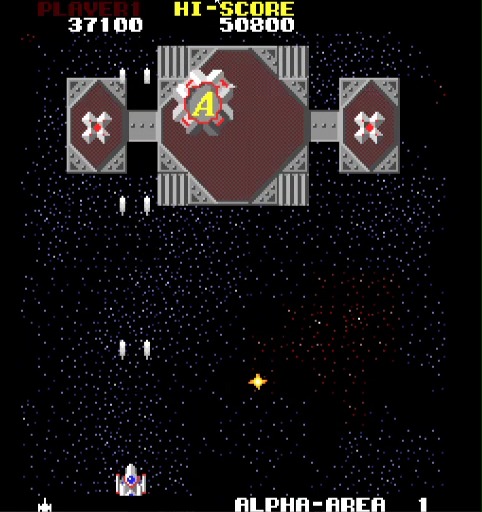
A faithful port of Tehkan’s legendary 1984 vertical shooter, meticulously rebuilt for the ZX Spectrum Next.
Travel back to the golden era of arcades with this almost perfect port of Star Force, rebuilt in pure Z80 assembly and using the original code to run seamlessly on Next hardware. Every effort has been made to preserve and recreate the experience of the original Tehkan (now Koei Tecmo) arcade game, while embracing the unique capabilities of the Next.
Features
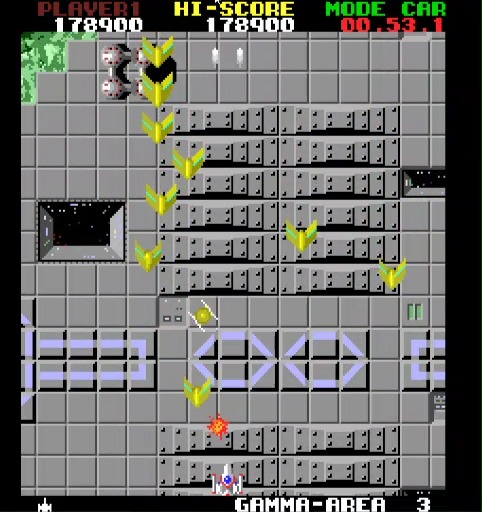
- Full recreation of the original arcade gameplay, smooth 50Hz / 60Hz scrolling, and identical enemy behaviour.
- Authentic multi-layer rendering using Sprites, Layer2 and Tilemap to simulate the arcade hardware’s multi-plane visuals.
- Faithful sound emulation re-engineered for the Next’s CTC, triple AY-3-8912 chips and DAC, replicating the tone of the original 10 channel sound hardware.
- Caravan Mode – a time-based high-score challenge inspired by the Nintendo Switch Arcade Archives version of the game.
- Developed entirely in Z80 assembly, tested using the CSpect emulator & Real Next Hardware with near-native performance.
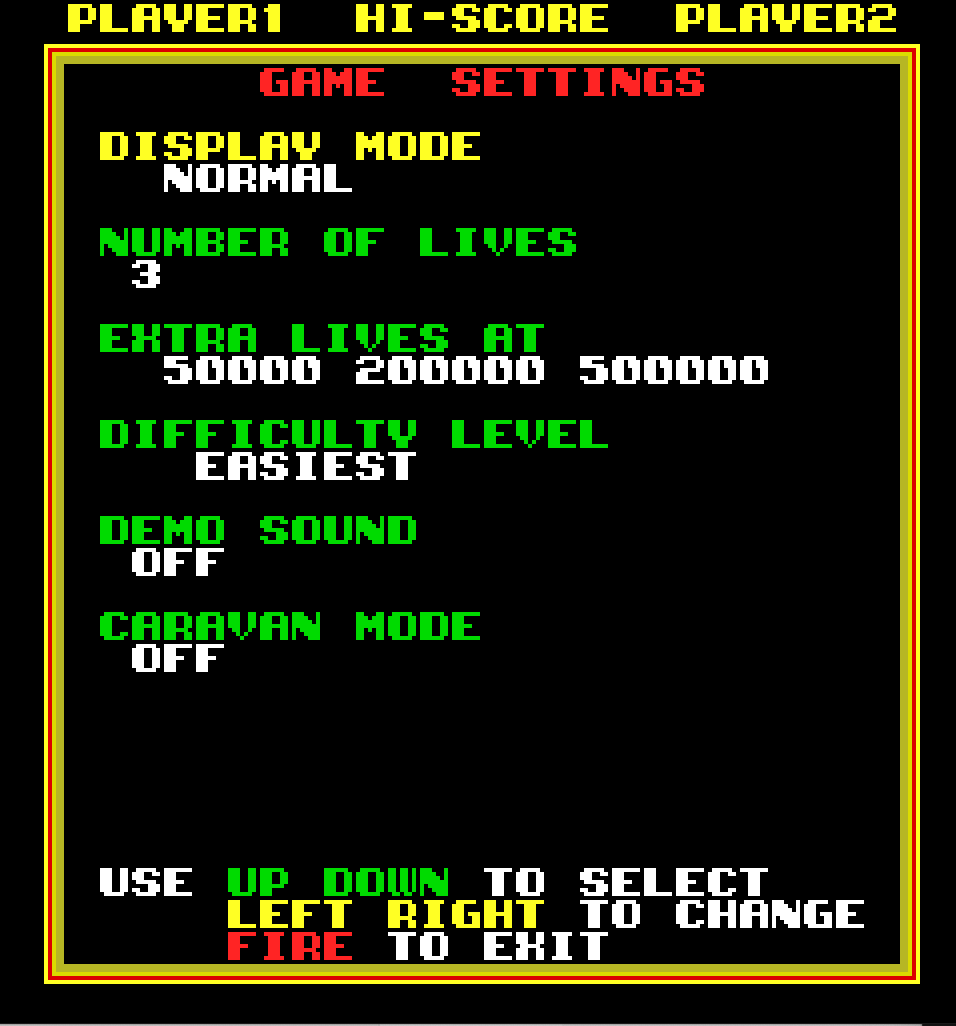
- Added settings screen allowing customisation of the game configuration, controls and display mode.
Download and experience Star Force as it was meant to be — smooth, fast, and fiercely addictive on real Next hardware.
Join the ZX Next Star Force conversation on Discord here.
(This is an unofficial fan project based on Tehkan’s Star Force arcade game.)
Development Journey
This project was born from a lifelong fascination with classic shoot-’em-ups and an obsession with achieving smooth sprite animation.
After teaching myself Z80 assembly in the 1980s, I set out to do what the original ZX Spectrum couldn’t — bring the arcade home without compromise. Over thirty years later, the ZX Spectrum Next provided the features to make my dream a reality.
Credits
Development, code, adaptation and tooling by me!
Special thanks to the ZX Spectrum Next community, including Peter Ped Helcmanovsky, David Saphier, Jim Bagley, Richard Faulkner, Michael "Flash" Ware, Ronnie Simpson and many others.
Important Note on Original ROMs
To run this port, you must supply your own or legally obtained original Star Force arcade ROM files. A dedicated tool is included in the download that will combine your legally obtained ROM with the ported game code automatically.
I do not in any way condone piracy.
Download
Click download now to get access to the following files:
Comments
Log in with itch.io to leave a comment.
Hi, thanks for this. I'm using Windows, I'm running CMD as Administrator, but when I try to run nexprep, I get a -1 error:
Starforce>nexprep starforc.zip
Reading 'starforc.zip'...
Processing 'starforc.nex.np'...
Preparing 'starforc.nex'...
An error occurred during the preparation of 'starforc.nex'. Error code: -1.
Sorry to be a hassle, any idea where I'm going wrong? Thanks for any advice.
Hi UKrobm
Thank you for your interest in the project.
Error code -1 usually indicates you have supplied an incompatible ROM file. Does the ROM file you have work with MAME?
Can you try a different ROM file?
Let me know how you get on.
Thanks,
Thanks for the quick reply, I'll check that.
You were right. I must have connected the board up wrong when I scanned the eproms. It's working fine now. Thanks again! :)
Great news!
Thanks for letting me know and supporting the project.
Enjoy!
Everything works in terminal until I get to this:
./nexprep.sh rom
Error: ROM File 'rom' not found!
rom folder is in the downloads folder but it can't find it? Should it be a zip file?
Yes, the Rom file needs to be a .zip or 7z file which contains the dumps of the original arcade ROM chips. It’s the same type of Rom file that MAME uses.
While in the terminal, can you post the output of a “pwd” and “ls -l” command from your terminal? You don’t need the quotes.
Now it can't find
./nexprep.sh
I've deleted and downloaded everything several times zipped the roms copied the commands into terminal...I've no idea what it means to 'post the output of a pwd'
At the risk of ridicule for my stupidity I give up!
Don’t give up!
Are you using Mac or Linux?
You need your Rom file and the starforc_nex.zip file from here in the same folder - this will usually be your Downloads folder on your machine.
Then you should be able to follow the appropriate section of the video guide here: https://youtu.be/bfyol449GFY?si=-wBsZQV4TbxifBGb
Mac OS.
In my downloads folder I have:
starforc_nex.zip
starforc.zip
I enter this into terminal:
Which creates two folders in my downloads:
_MACOSX (empty)
starforc_nex (contains unzipped files)
Then I enter:
Resulting in this message
xattr: No such file: nexprep.sh
Leaving this still to be entered.
That is strange. The unzip command has created a “ starforc_nex” subfolder and put the files there instead of in the Downloads folder.
Easiest thing to do would be to use Finder to copy the files & folders from the “starforc_nex” folder to Downloads folder.
Then retry the xattr command again.
The sound level of music playback seems to disort the music a little. Tried it on CSPECT and MisterFPGA ZX Next Core.
Excellent achievement bringing Starforce to the Next!
Hi
Thanks for the feedback.
Is the distortion based on volume level or in general?
Must admit, testing was only done on the official (and latest) core.
Instructions and link to YouTube videos is for Mac/PC/Linux - how do I add the ROM to play no the Next? (assuming I can find the game!)
Once you have prepared the .nex file, you can copy it the SD Card that is in your Next.
Once copied to the SD card and reinserted into the Next, you can use the Browser to navigate to and run it.
hmm, so I just copy the file starforc.nex.np to SD card along with the rom folder?
No, you need to copy the prepared starforc.nex file which the included tool produces…
The tool which can be run on Windows, Mac or Linux (see the video) combines the starforc.nex.np file with your star force ROM file to build the starforc.nex file; that is the file you copy to your SD card.
Trying to use this tool now. What arcade filename do i need please?
Ignore me. Got it working now! Well worth preserving with. Very fast and fluid gameplay. Excellent.
Happy to hear you are up & running! 👍
Enjoy!
Absolutely FANTASTIC!!!! Playing Star Force in my N-GO board fitted in a Spectrum 48k case is a dream come true. Great, great, great job!!!! So many good memories unlocked with this game from more around 30 years ago. Thank you!!
Just one minor suggestion. If there was a chance of keeping the high-score table and the settings after turning the Next off.......
Thanks for the great feedback!
Yes, that was something I did think about. I will look into that for a future version.
Lovely stuff. This might be my favourite thing on the Next thus far. I've just been playing it side-by-side with the same game on my Sharp X68000 and it's identical!
Thank you!
I researched a few versions of this game during development but not that one…. I will check it out.
Looks neat! Do you have any thoughts on how future ACOS games or volumes might be released? As separate downloads per title, or more of a shared, MAME-like framework? No preference either way, just curious :-D
Thanks!
Yes, any future release will more than likely be a separate download. The nature of the conversions process means that specific optimisations have to be made that do not necessarily work for all games.
Avg Internet Security reports download as: MacOS:Stealer-FS[Pws]
So don't allow me to download.
That is strange.
Do you have another machine or VM you could try downloading the file on?
I have tested the download with AVG on MacOS and although I was able to download the file, I have reproduced your issue once I unzipped the downloaded file.
I have reported the utility to AVG as a False Positive. I am awaiting their response.
If you would like to use the file, you can do so by following this process.
I could download with the mobile but "macos" file still is been detected as "MacOS:Stealer-Fs[Pws]". Linux and windows versions does not shows any problem . So I will use the windows versions.
Thank you
Great!
Let me know how you get on.
Brilliant. I've built this already and am gonna try it now... Well done for getting this out there. Now come on KS3, i need you! On real hardware on my 65" TV is where i really wanna play this, not on CSpect at 27", but hey, i'll suffer for you...
Once i got an image built with this game included that wasn't corrupt in CSpect (nothing to do with this game), i've now managed to have a play. This is amazing work. I REALLY need my KS3 now!!
Thank you for the feedback!
Unbelievably outstanding piece of programming genius , exact same as the arcade but on the Sinclair Zx Spectrum Next with no difference whatsoever - brilliant and can’t wait to see what other gems you might have in store for the Next community.
KS3 is getting even better 👍👍
Thank you for the great feedback and all your support! 👍